


You lower a metal jig, watch the fishfinder and wait for a clean descending trace. Nothing appears. Before you add weight, change line or assume the sounder is faulty, separate two questions: Is the jig within the water the sonar is sampling, and is the display configured to show a detectable return?
A missing trace does not prove that the lure has disappeared, the fish have left or the electronics have failed. It may reflect coverage, drift, display range, return strength or the way the selected sonar mode presents information.
This guide focuses on troubleshooting jig visibility during boat-based vertical jigging. It does not prescribe one frequency, gain value or transducer angle for every installation.
The quick answer: check the view before changing the tackle
Identify the active sonar mode and transducer, confirm that the relevant depth band is displayed, and observe whether the problem affects just the jig or the wider picture. Then assess the jig's likely path relative to the transducer and make one documented setting change at a time.
Keep the skipper responsible for boat positioning and maintain awareness of people, exposed hooks and neighboring lines. Do not lean overboard, reach toward a submerged transducer or neglect the boat around you while watching the screen.
1. Identify the sonar mode you are actually watching
Traditional scrolling 2D sonar, down-looking imaging, side-looking imaging and live sonar do not offer the same view. A jig that is useful to observe in one mode may not appear as the same kind of trace in another.
On conventional scrolling sonar, horizontal screen position generally represents successive observations over time, not a left-to-right map beside the boat. Confirm which edge shows the newest information on your unit. A return in the history is not proof that the lure is still in the sampled water.
Live sonar has its own orientation and coverage requirements. Aiming a live-sonar view and choosing a conventional 2D channel are different tasks. Use the actual unit and transducer manuals rather than transferring instructions between technologies.
Also check that you are viewing the intended sonar source. A networked display or split screen can make it easy to watch a different transducer or mode from the one you assumed.
2. Compare the drop position with transducer coverage
The rod tip and transducer are not necessarily in the same place. A jig lowered beside the bow may begin some distance from a transom-mounted transducer. Even a visually vertical line does not establish that the lure is directly beneath the sonar source.
Coverage depends on the actual transducer and operating mode. A simple cone can be a helpful mental model for some conventional beams, but not every sonar view is a symmetrical cone. Do not borrow a generic beam angle and treat it as your installation's specification.
Target position within the coverage and the lure's orientation can affect the return. Seeing a large bottom return does not guarantee that the same setup will clearly resolve a much smaller moving jig.
Discuss a suitable drop station with the skipper. Do not cast across other anglers or move to an unsafe position simply to chase a trace.
3. Watch how drift changes the relationship
The boat, line and jig do not necessarily travel together. Wind, current at different depths, jig profile and line resistance can move the lure away from the sampled water as the drop develops.
Compare when visibility changes. Does the trace appear near the start of the drop and fade as the line angle grows? Does it return after a coordinated reset? These observations can help investigate coverage, but they do not reconstruct the exact underwater path.
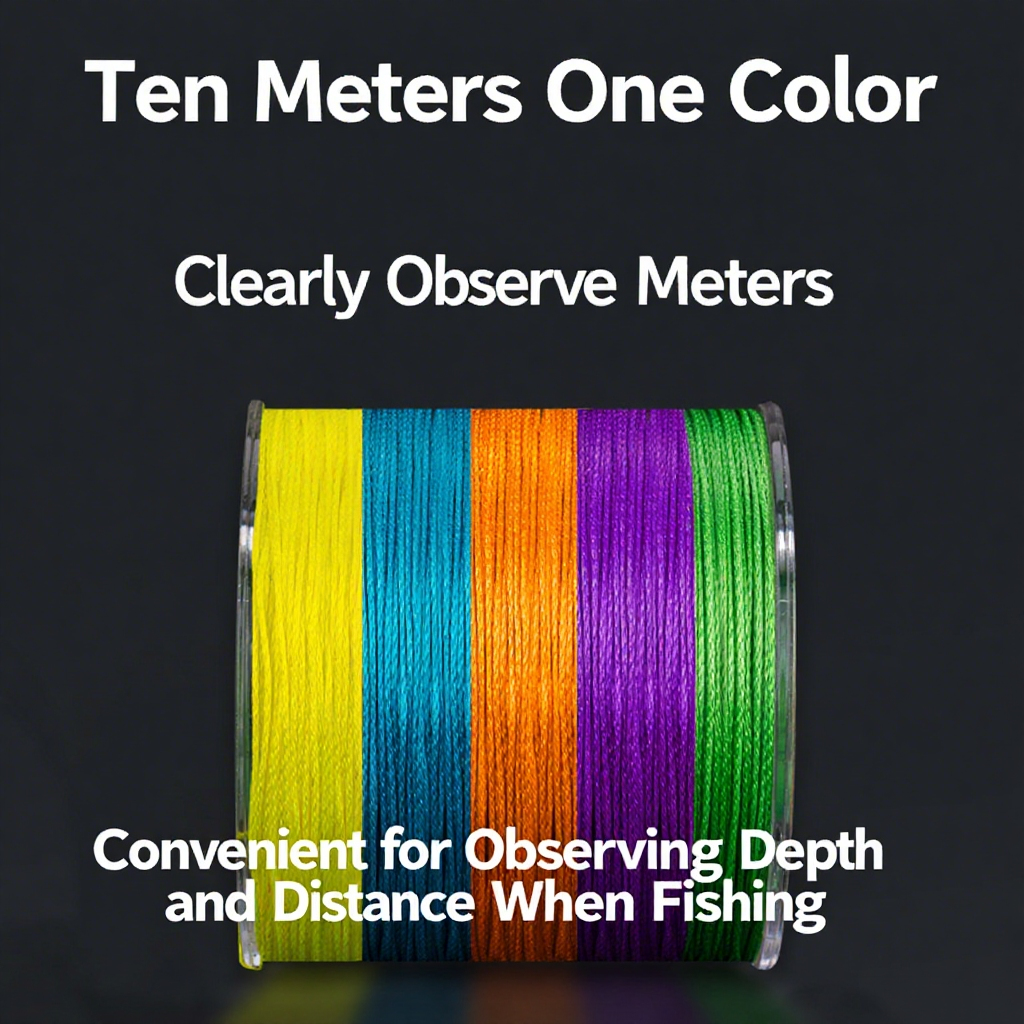
Metered braid records line released, not necessarily the jig's vertical depth. When line angles or bows, the amount paid out and the depth below the surface are different quantities. Reel turns also do not provide a fixed vertical-distance measurement.
If control deteriorates, recover or reset according to the skipper's instructions. Do not keep feeding line just to make the jig reach a displayed number.

4. Check depth range, zoom and the newest returns
A jig cannot appear in a depth band that the current view excludes. A bottom-focused zoom may omit the upper water column; a restricted manual range may leave the descending lure outside the display.
Review range and zoom settings using the unit's instructions. Where supported, comparing a full-water-column view with a focused view can help establish whether the issue is simply the selected display window.
On a scrolling view, compare a controlled lure movement with the newest returns rather than repeatedly studying an old mark. A changing trace that corresponds with the movement is useful evidence, but in a busy scene it is not automatic proof of target identity.
Do not confuse scroll speed with ping rate. One concerns how the history is presented; the other concerns acoustic transmissions. Their controls, limits and interactions depend on the equipment.
5. Adjust sensitivity and filtering deliberately
Gain or sensitivity, noise rejection, clutter suppression and other processing can affect the visibility of weak returns. Raising a control indiscriminately may add clutter rather than produce a clear jig trace.
Start from the manufacturer's recommended operation for the mode and conditions. Note the existing setting before making a small, appropriate adjustment. Compare a similar drop, then keep or reverse that change before testing another control.
Automatic settings are not inherently wrong. Manual control is not automatically more accurate. The useful choice is the one supported by the equipment guidance and a readable, repeatable picture.
Frequency and beam selection are also model-specific. A narrower view can reduce the area covered, while a different channel may change detail and depth performance. There is no universal instruction to select the highest frequency or narrowest beam whenever jigging.
6. Separate a missing jig from a wider sonar problem
If the bottom and other expected returns remain readable: investigate lure coverage, displayed range, processing and the conditions of the drop before declaring a complete system failure.
If the whole picture becomes unstable or disappears: follow the manufacturer's troubleshooting sequence for the installation. Note whether the symptom occurs at rest, underway, during particular equipment operation or only in certain conditions.
Record symptoms instead of guessing that every streak is electrical interference or every dropout is aeration. Several causes can produce an unhelpful picture, and a screenshot alone may not establish which one applies.
Physical checks belong in an appropriate safe setting with the equipment handled as instructed. Do not reach near a running propeller, adjust a submerged installation from an unstable position or improvise electrical repairs while fishing. Persistent faults call for qualified support.
7. Change the jig only for a clear presentation reason
Jig size, shape, material and orientation can affect the return, but a heavier lure is not a guaranteed visibility upgrade. It also changes the presentation and may exceed the rod's working guidance.
For a lighter-range setup, the GOOFISH Ares Light 172cm jigging rod lists a 40–150g jig range, with separate spinning and casting configurations and one-piece or butt-joint options.
The GOOFISH Purple Ares Light 190cm jigging rod lists a different 60–250g range, PE1.5–4 guidance and two-piece butt-joint construction. Select the configuration for your reel and assess the complete outfit.
These ranges help choose tackle for a controllable jigging presentation. Neither rod guarantees that a jig will appear on sonar or reach a particular depth. Do not turn a vertical-jig range into a casting allowance or use a rod to lift fish aboard.
A controlled comparison for the next drift
- Record the sonar mode, active source, displayed range and relevant settings.
- Confirm a safe drop station and workable presentation with the skipper.
- Use the same suitable jig and outfit for the initial comparison.
- Note when a possible trace appears or disappears alongside changing line angle.
- Change one relevant display setting or presentation variable, not everything at once.
- Stop and investigate wider equipment symptoms if the overall picture is unreliable.
A useful note is specific: “Trace visible early in the drop, then lost as the line angled away; bottom return remained readable.” That observation is more actionable than “The fishfinder cannot see this brand of jig.”
Jig visibility on sonar: common questions
Does a blank screen mean there are no fish?
No. A blank view does not establish that the entire area contains no fish, and a missing jig trace does not identify fish presence or absence.
Why does my jig appear and then disappear?
Coverage, changing lure orientation, drift, displayed range and return strength are possibilities. Compare the timing and wider picture instead of treating one cause as certain.
Should I always use a heavier jig?
No. First check mode, coverage and settings. Select weight for the intended presentation within the complete outfit's guidance.
Can I calculate exact jig depth from colored braid?
Not from line markings alone. They measure line released; line angle and bow prevent that from automatically being a vertical-depth measurement.
Should I switch off automatic sensitivity?
Not as a universal rule. Follow the unit's guidance and compare a relevant change under similar conditions.
The takeaway: a missing trace is a troubleshooting clue, not an instruction to buy heavier tackle. Check the view, understand the coverage, observe the drift and make one useful change at a time.





Leave a comment